If you will ever encounter the Integration error: "TwigBundle:Exception:error400.html.twig" please follow the below steps.
NOTE!!! This error will appear when you will Activate the Xero Integration, while Xero is already active. The best course of action is to check if the Status of the Integration is Active. If Active, the data flow should be constant. If data does not reach Xero, then you must deactivate Archdesk from inside Xero and reconnect. Please read carefully the steps presented below.
If connection is no longer active, you will have to reactive it.

Please follow the steps below:
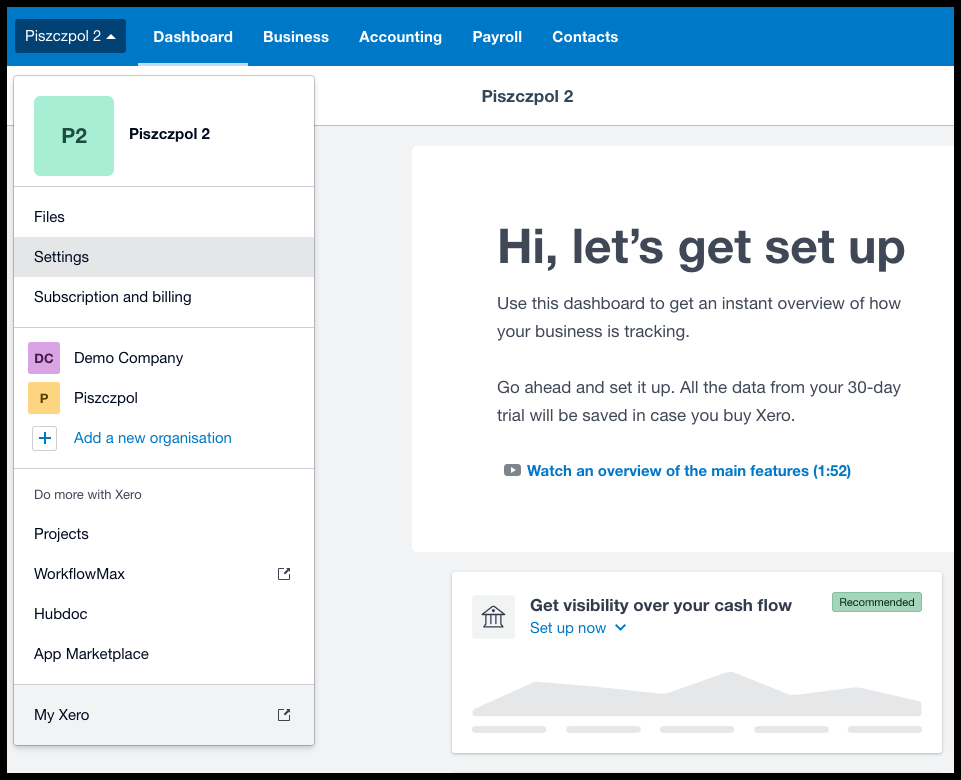
1. Go inside Xero and from the Menu, select the "Settings" option
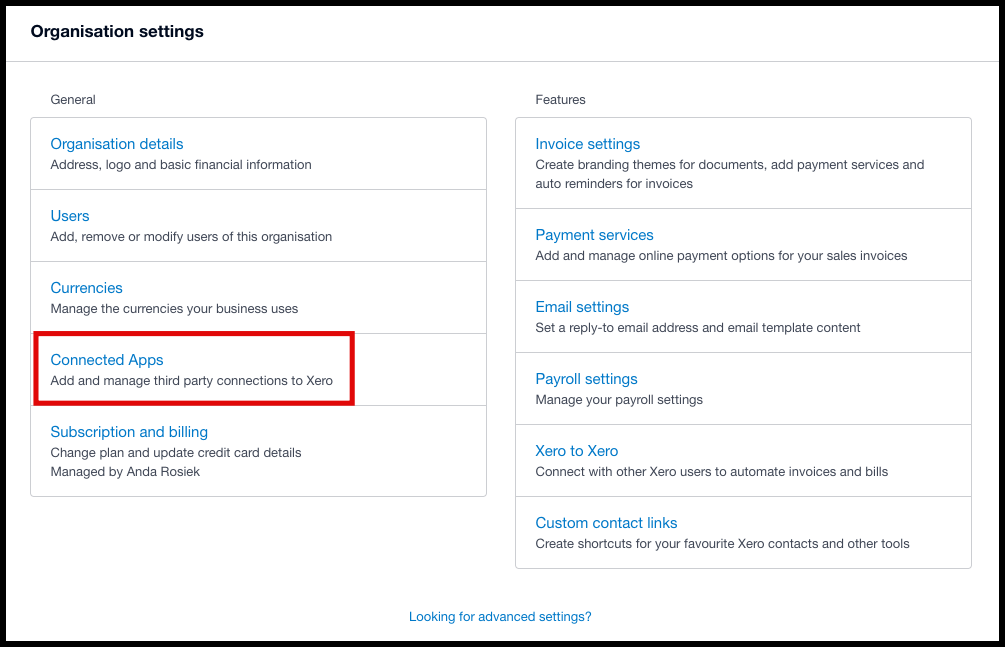
2. A new page will appear and you will have to select the "Connected Apps" option.
3. This will bring you to the page with the Apps that have a connection to your Xero account.
From the list, please choose Archdesk and click on the 3 dots > Disconnect.

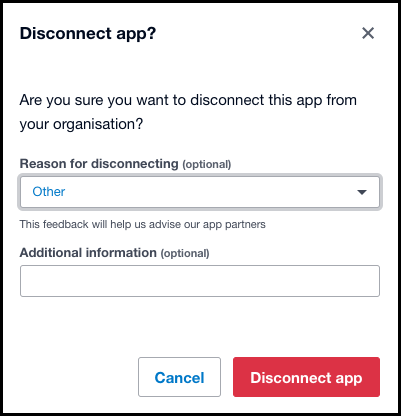
4. A pop-up window will appear, where you will have to choose the reason (optional) and click on Disconnect App. Once that is done, you can move forward to Archdesk.
5. Inside Archdesk, you will have to perform the same steps as for the FIRST ACTIVATION.
If you encounter any issues or you need further assistance, please contact support@archdesk.com and let us know the issue you are facing.