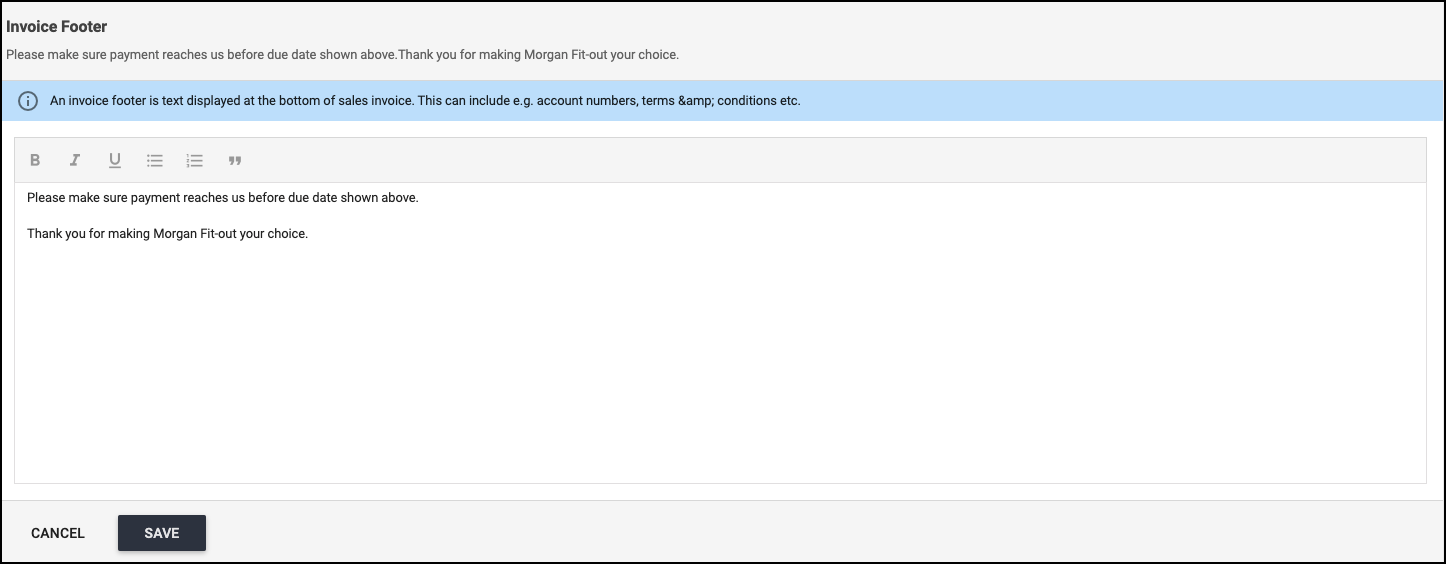
Please be advised that these changes can be done only by the Admins of the system.
If you are not aware of whom those Admins may be for your team, please reach out to us via support@archdesk.com
If you are an Admin and you wish to modify the Invoice Footer by adding/removing text available there, please follow the below steps:
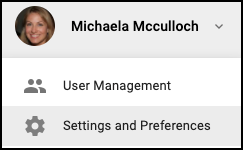
- In the drop-down with your name, please select Settings and Preferences
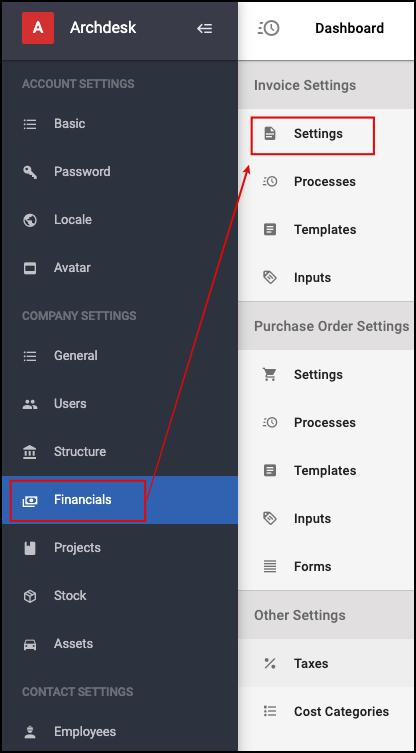
- Select then, from the side-menu, the option Financials
- Next go to Invoice Settings: Settings
- Scroll down until you reach Invoice Footer and click on it
- Modify the text (add/remove data there)
- Make sure you hit the SAVE button at the end