When a Tender is created, you can specify the Evaluation Criteria per tender (individually).
What are the Evaluation Criteria?
They are the factors taken into account during the process of selecting the tender winner. The system calculates the points and recommends the best offer depending on the provided criteria. Those factors can be related to Offered Price, Warranty, Reliability, or other elements considered for a given tender.
How to add the Evaluation Criteria?
To add new criteria, please go inside the Tender and select the menu Evaluation Criteria -> Add New Criteria.
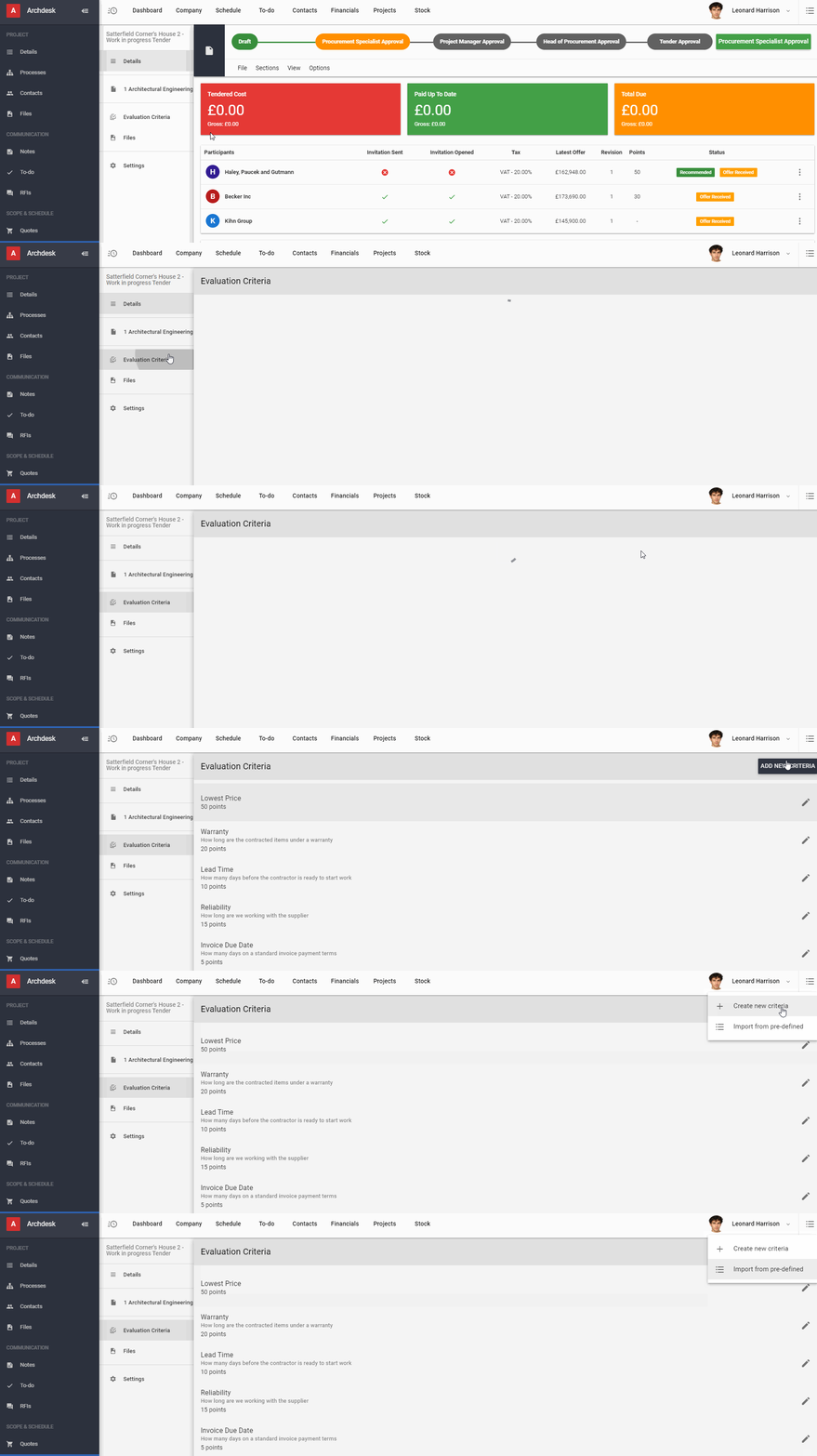
You can simply Import pre-defined criteria from admin settings or Create new criteria.
How to create new Evaluation Criteria?
In order to Create new criteria, you must specify the details such as Name, Description, Input type, Scoring Method, and Points and hit SAVE.
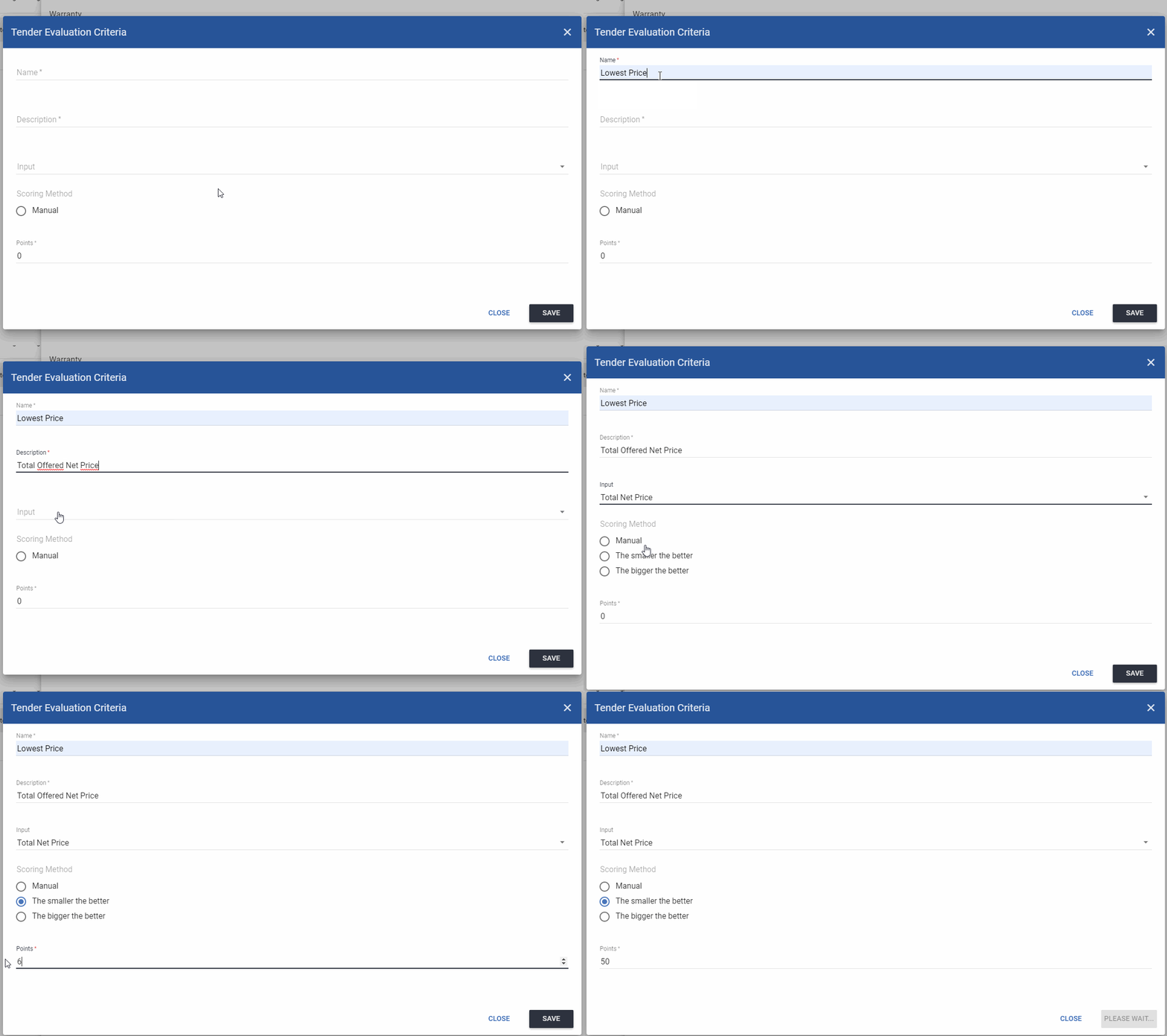
Input type:
You can specify the Input type per each Criterion, as Total Net Price, Total Gross Price, Total Price Tax, or Other (Text Input, Number Input, Choice Input).
Scoring Method:
You must tell the system, in which way the points should be calculated by choosing one of 3 available options:
- Manual
When suppliers' offers are added to the system, please select the right offer and progress hit AWARD next to the criteria name. Once you do that, the score for that criteria will be automatically calculated.
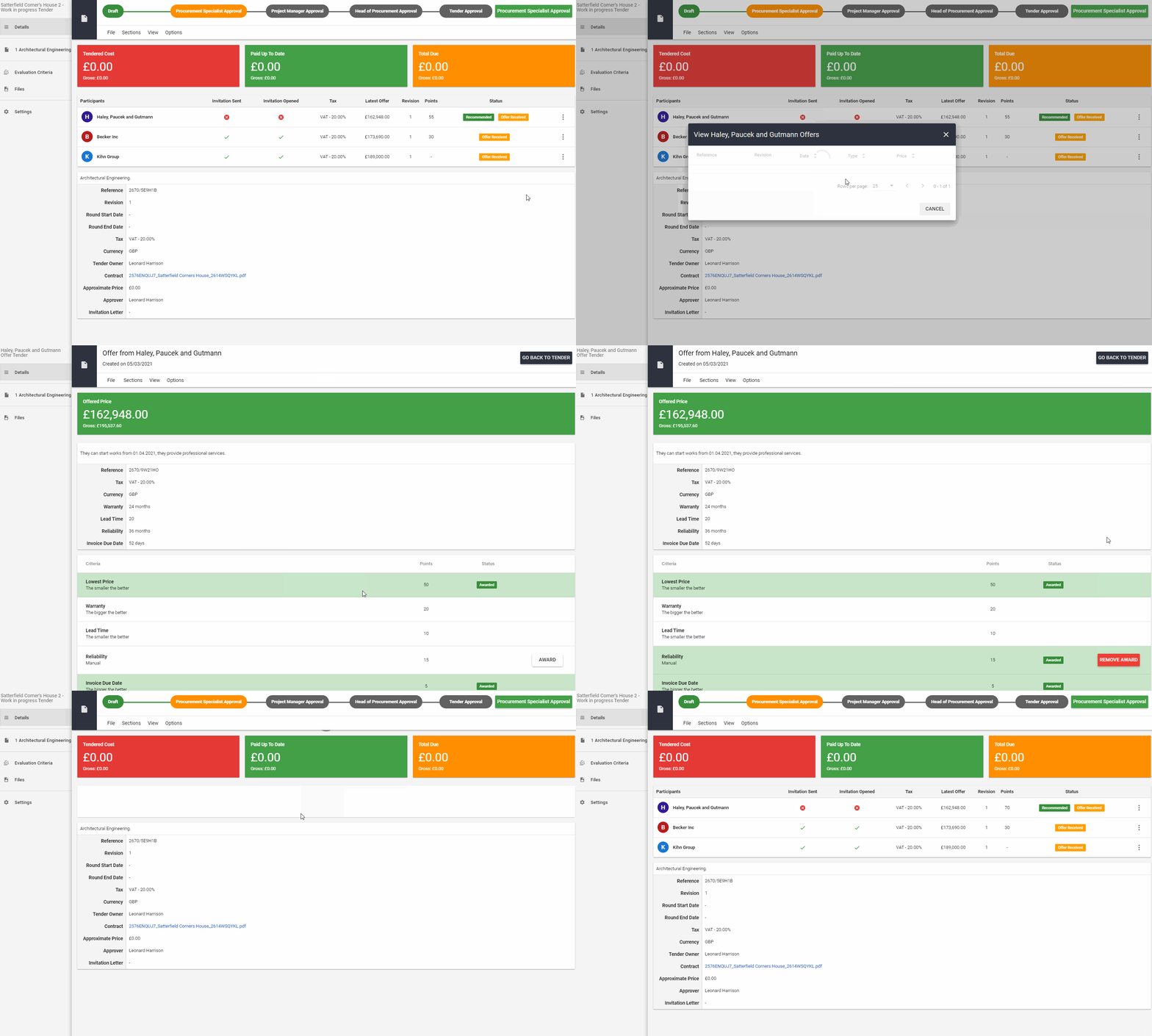
The system will enforce to choose this option for Text & Choice Input, however, you can use it for any type of Input.
- The smaller the better & The bigger the better
The system will automatically compare participant offers and award the winner within the specific criteria.
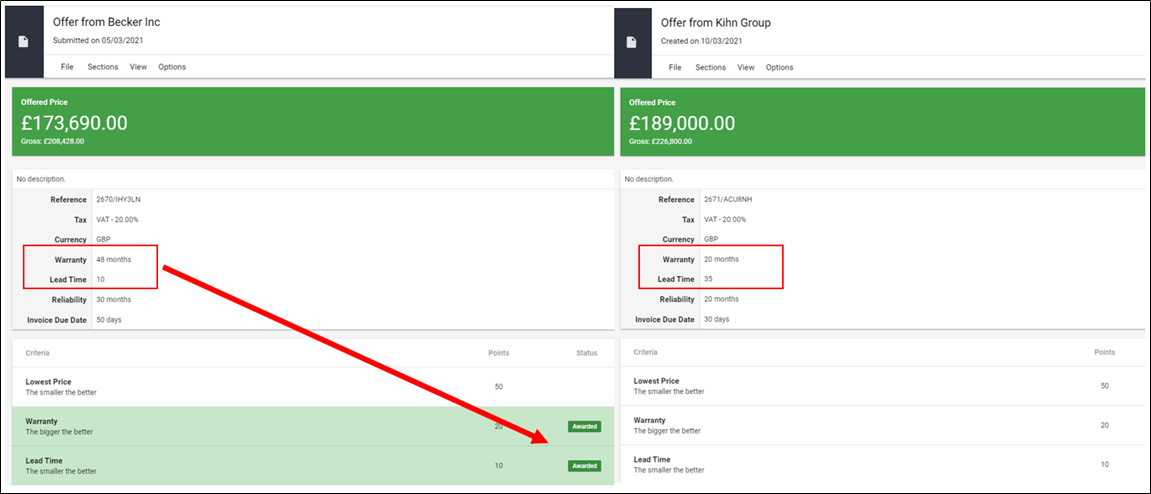
When you add supplier offers and select the winners within the individual criteria, you can compare the score on participant lists.
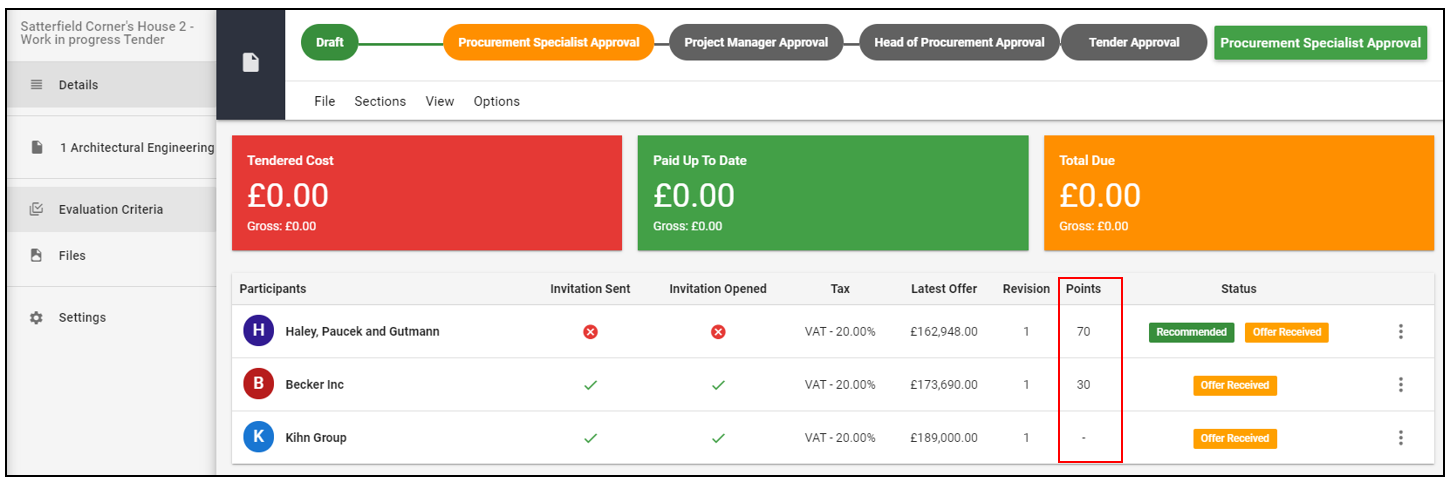
The system will recommend the winner and you must choose him before the tender is finished.
NOTE!!! However, even if the criteria are met and the system recommends the winner, you can still overwrite the winner and choose someone different.
In order to change pre-defined criteria please follow Settings and Preferences -> Projects -> Tender Settings -> Evaluation Criteria
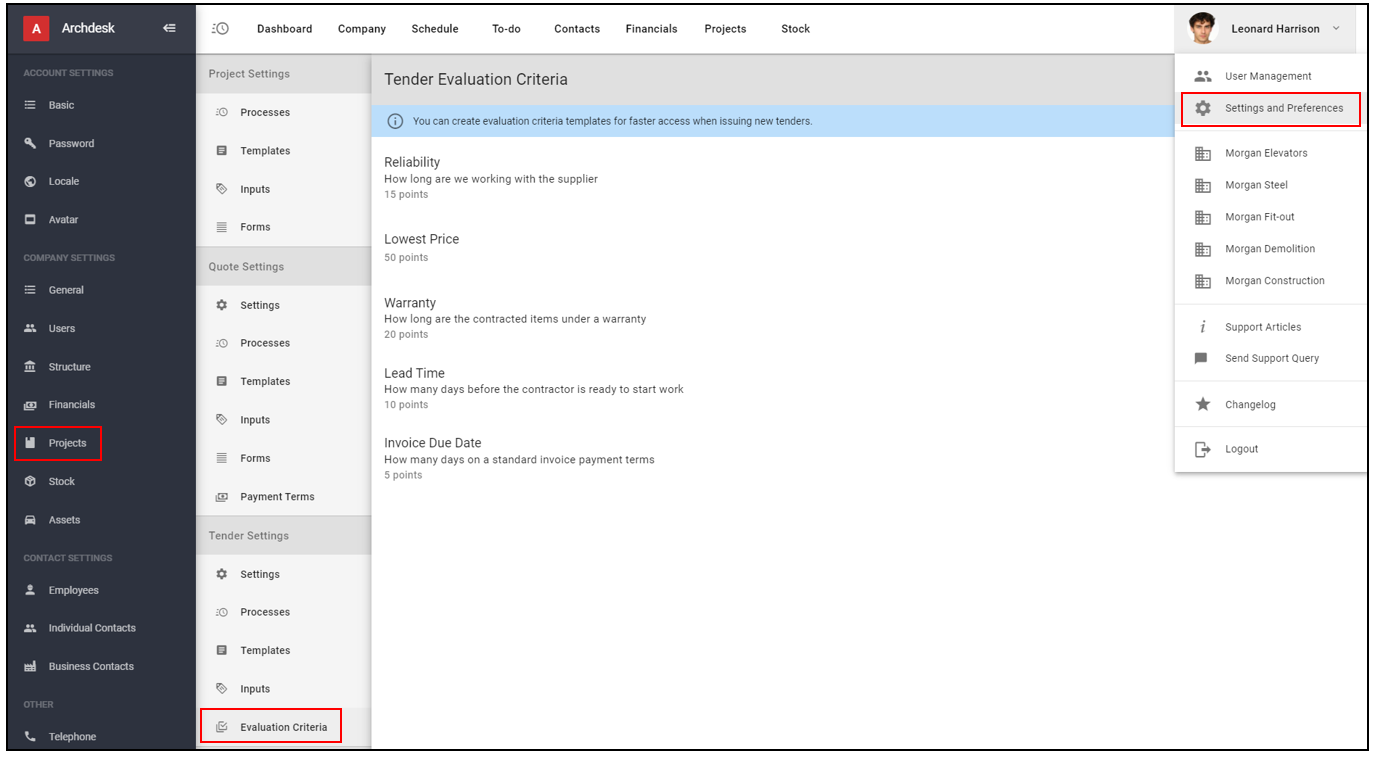
The wizard and rules are the same as for creating new criteria for the individual tender.
If you would like to learn more about Archdesk Tendering Module, please read the Tendering Module Guide. If you still have any question, please contact us at support@archdesk.com